


I help families and couples plan their magical vacations at no extra cost. Disney pays me so you don't have to! Click the button below to receive a quote on your next Disney vacation.
I'm Shelby, your travel agent specializing in Disney vacations.
GET A QUOTE
I want to learn more!
Disney World Virtual Queue Tutorial Step-By-Step With Pictures
Current Rides Operating with a Virtual Queue:
- Guardians of the Galaxy: Cosmic Rewind in EPCOT
- TRON Lightcycle Run in Magic Kingdom
Important times:
Beginning at 6:00 am – You can confirm your Virtual Queue party
7:00 am – Morning Virtual Queue opens
1:00 pm – Afternoon Virtual Queue opens (must be in the park)
Step 1: Confirm Your Party
- Any time between 6:00 – 6:50 you will need to confirm your party that will be joining the virtual queue
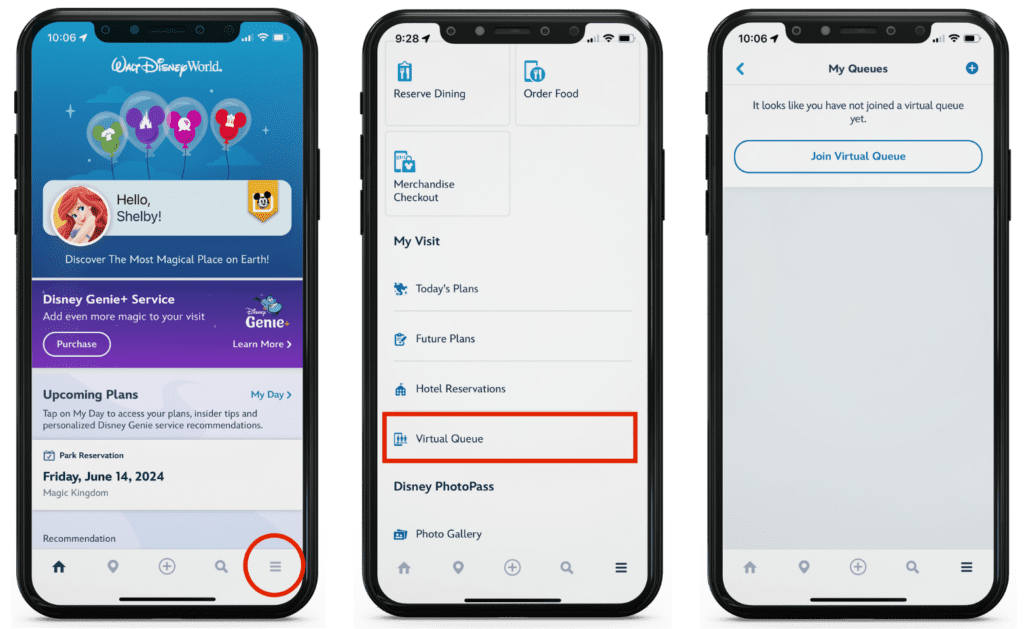
- Click the 3 line hamburger in the bottom right corner
- Scroll to “Virtual Queue” Under My Visit
- Click Join Virtual Queue
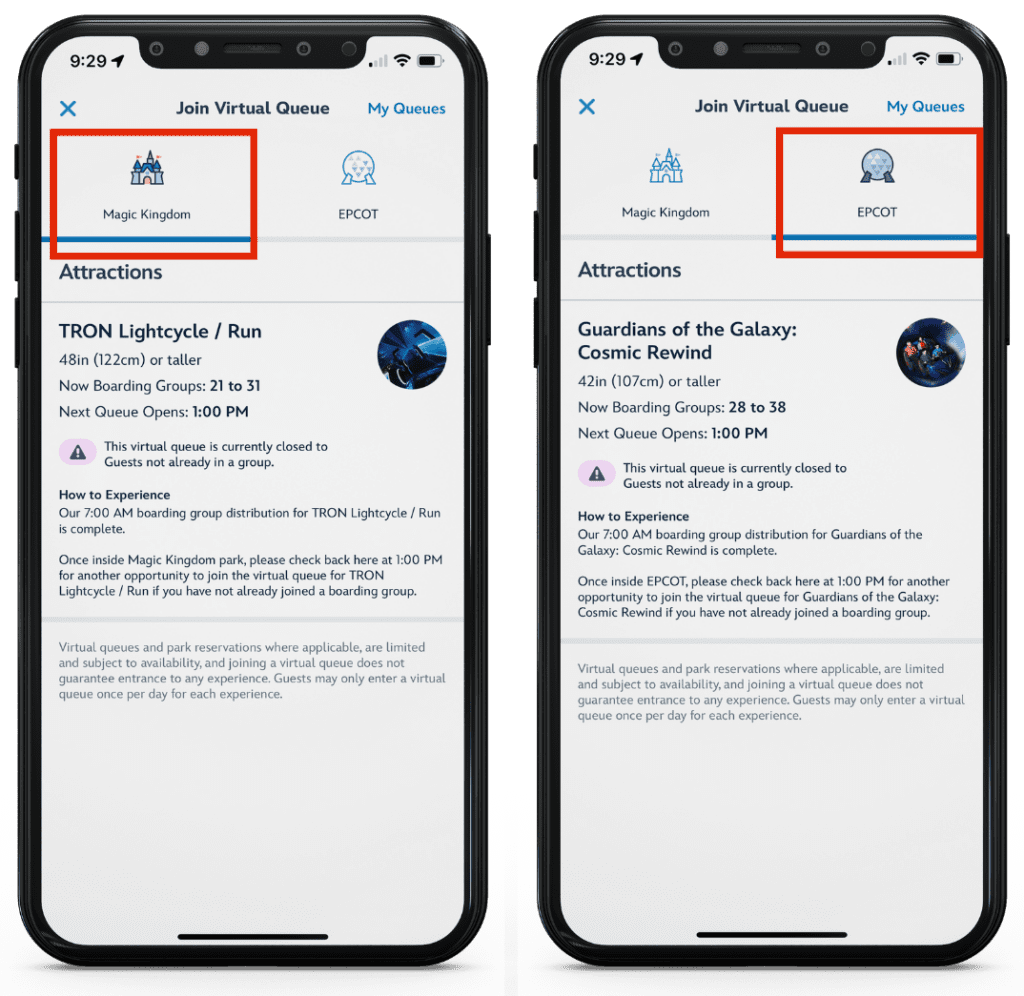
- From here, you will see Magic Kingdom (for TRON) and EPCOT (for Guardians of the Galaxy) at the top of the screen
- Make sure you’re on the correct park for the ride you’re wanting to join
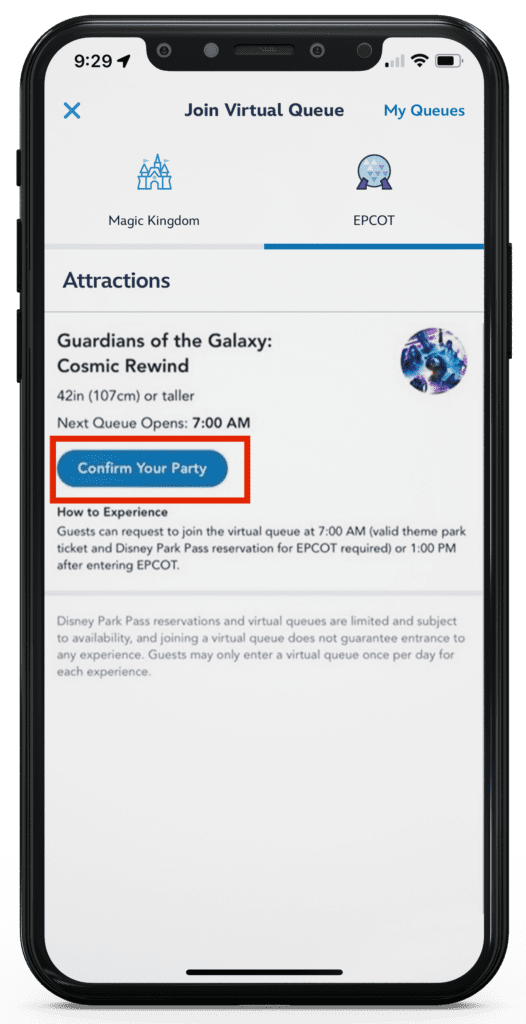
- Once you’re on the correct park, Click Confirm Your Party
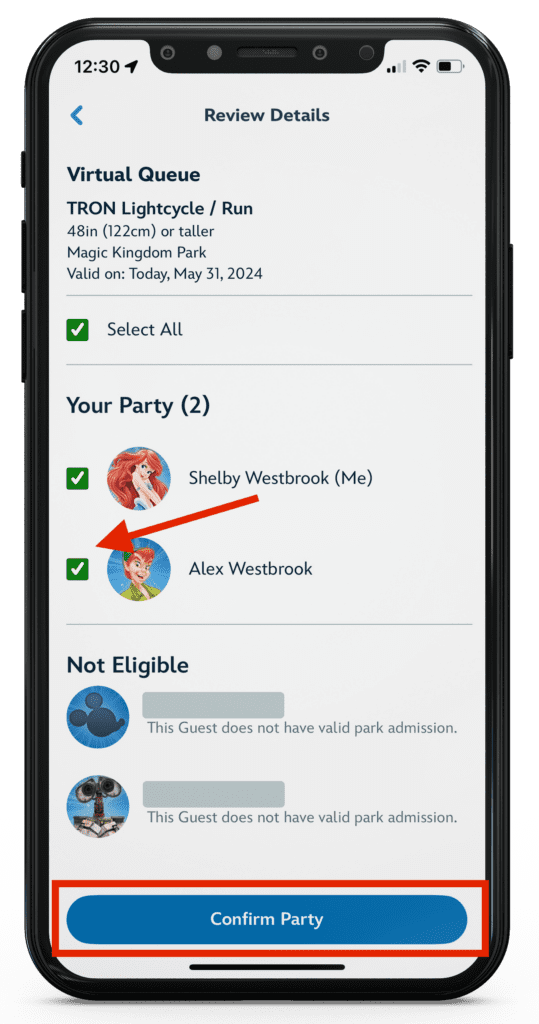
- You will see a screen that looks like the screenshot below. Check all members that will be joining you on the ride.
- Click Confirm Party again
Step 2: Join Virtual Queue
- You will now see a screen showing your party and a refresh button at the bottom. Disney time follows the world clock, so at 7:00:00 on the dot is when you can join. Beginning at 6:59:30 – start rapidly tapping the refresh button and don’t stop.
- Some people find it helpful to have someone else in the room with the world clock pulled up so you know exactly what time and second it is.
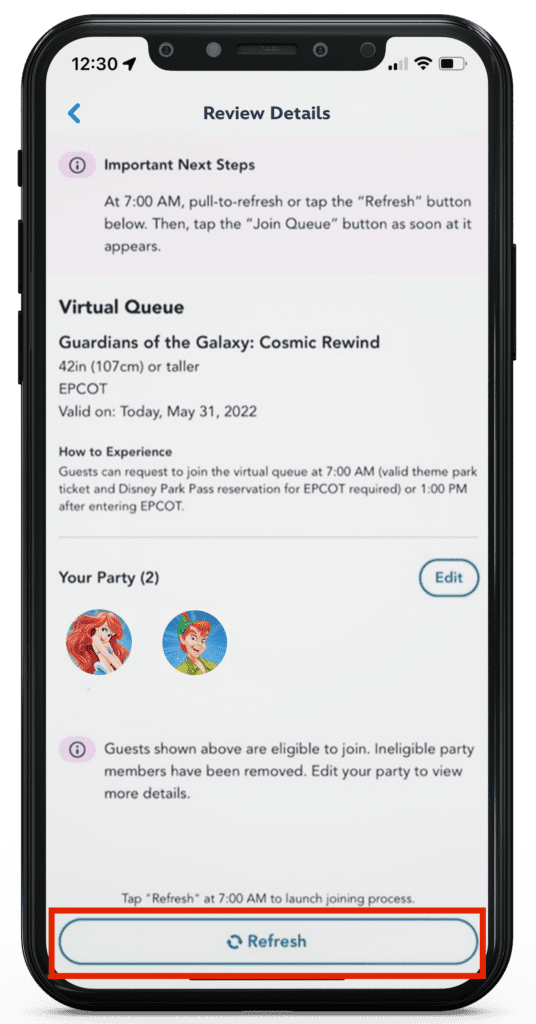
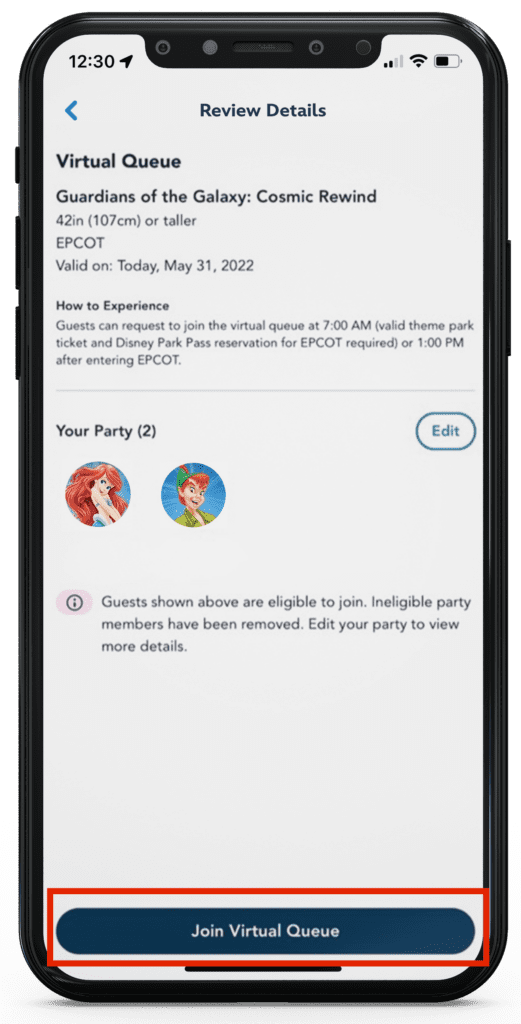
- At 7:00, you will be brought to a page that looks like this below with a “Join Virtual Queue” button in place of the refresh button. Tap this fast! Since both the refresh button and the join button are in the same spot, the trick is to just never stop tapping until you get the final screen showing your boarding group.
- Do not stop on the “Join” page to read anything, just keep rapidly tapping.
- Once you’re finished rapidly tapping through the refresh and join virtual queue page, if you made it into a boarding group, you will see a screen like this:
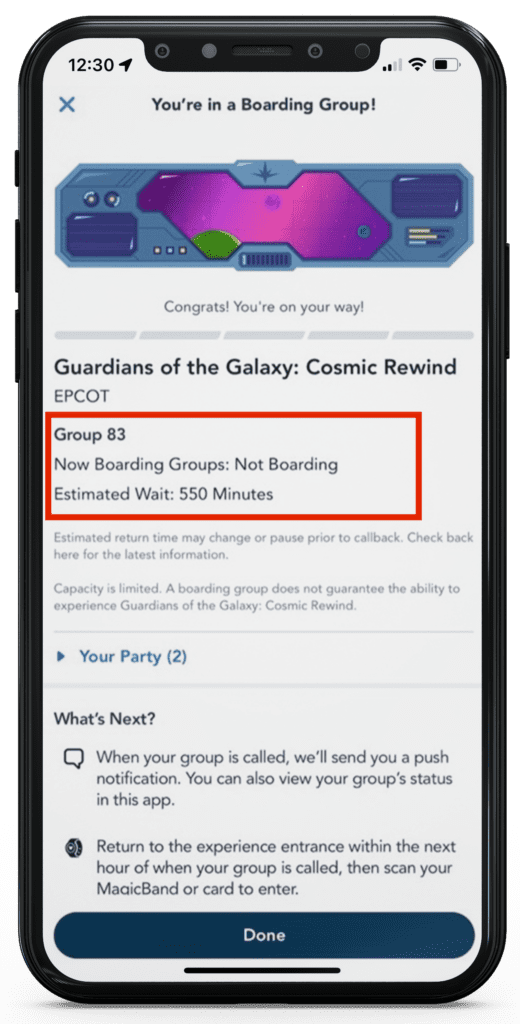
- This shows your boarding group number, what groups are currently boarding, and an estimated wait or callback time. If you have push notifications for your My Disney Experience App enabled, you should get a notification that your boarding group has been called when the time comes. Pay attention to this throughout the day and periodically check it to see what groups are being called just in case notifications don’t work.
- You have 1 hour from the time your group has been called to scan into the ride!
- If you didn’t get in during the morning opening, you can try again at 1:00 pm. You must be in the park for your desired ride for this one or it won’t let you join!
- After you click done, you can check back on the status in the app under “virtual queue” section – the same way you got to it in the beginning of this article.
